Augmenting Reality, Cultivating Dreams: AR in Garden Design & Management
Share this article:
A design app moves the beds before you move the soil — useful work. But the screen renders appearance, and the bees respond to plants: bring the ecology yourself.
A few springs ago I watched a homeowner design what she called a "pollinator garden" inside a slick app: a tidy sweep of double-flowered echinacea cultivars rendered in photorealistic colour, the kind of bloom a specialist mining bee cannot actually open to reach the pollen. The picture was beautiful. The garden, had she planted it as drawn, would have fed almost nothing. That is the honest starting point for any guide to garden design apps — they are genuinely useful tools, the best of them remarkable, and they are built to optimise how a garden looks, not what it does. Used with your eyes open, a garden design app will save you from digging the wrong bed twice. Used on autopilot, it will draw you a lovely, ecologically empty picture. Here is how to get the first outcome and avoid the second.
What a garden design app actually does
Strip away the marketing and these tools do three things: they let you visualise your real space, place plants and structures within it, and plan the layout before you commit a spade. What has changed since this technology was new is the method. In 2026 there are three distinct approaches, and the difference matters more than any single app.
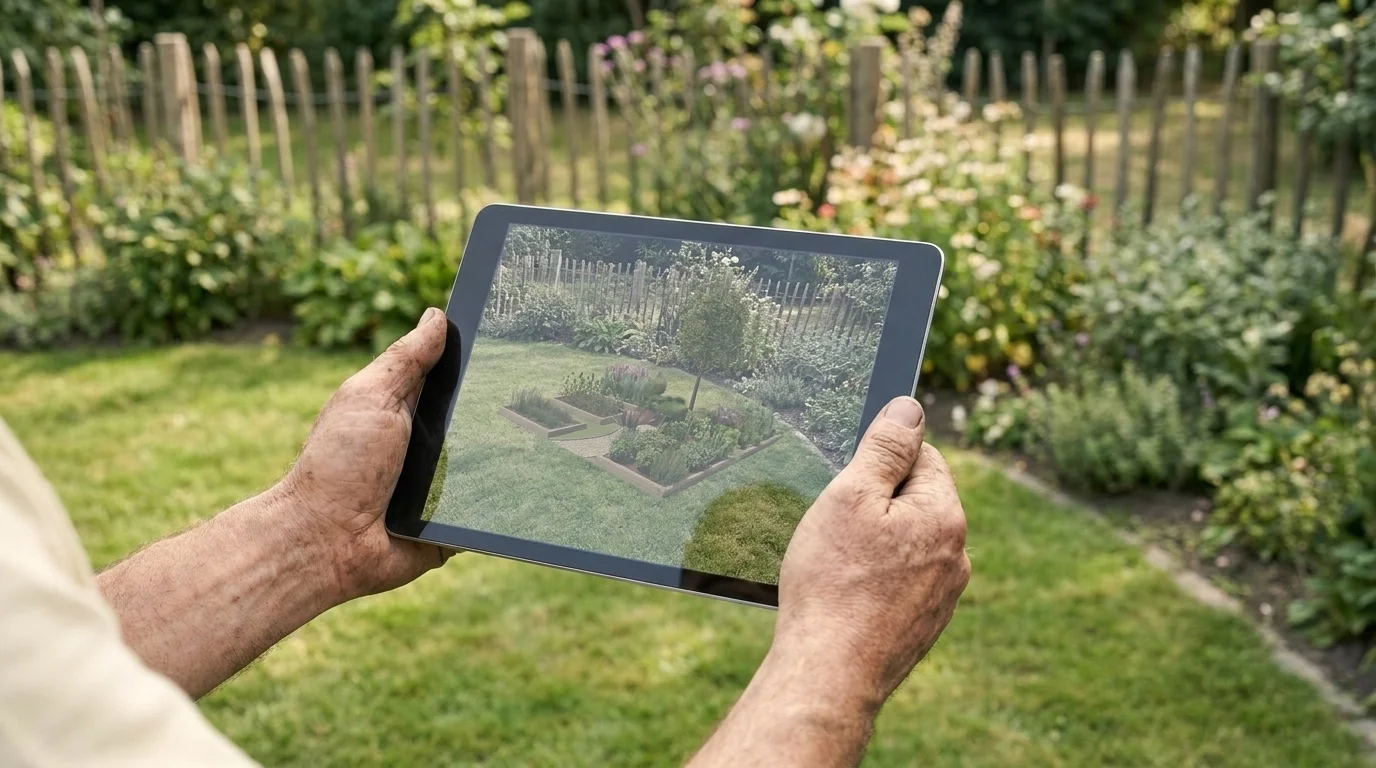
AR places each plant on your live camera view at true scale — how you tell whether a bed actually fits your fence line before you dig it, not just whether it looks good.
AI, AR, or manual: which fits you
Most roundups list apps without telling you which kind you actually need. The choice is really about your goal:
Approach
What it does
Best for
AI photo-to-design
Upload a photo, get a finished redesign in seconds
Fast inspiration; first-time gardeners
AR placement
Position plants on your live camera view at real scale
Precise, element-by-element control of a real space
AI photo-to-design returns a redesign in seconds against a pro plan that runs $1,000–$5,000 — a careful hour on the screen is time well spent, if you read it critically.
Where the apps fall short: the food web they can't see
This is the part the app stores will not put in their marketing, and it is where you have to take over. A growing number of 2026 tools now advertise "native-plant suggestions" and "pollinator support" as features. Treat those claims the way I treat any label that says "pollinator-friendly" without naming a single pollinator: as a starting point to verify, not a guarantee.
There are three things even the best design app cannot tell you. The first is provenance. An echinacea recommended by the app might be a cultivar bred in an Illinois seed house; the Monarda fistulosa (wild bergamot) it suggests for your bed is not the same as a local ecotype raised by a regional nursery, and the specialist bees know the difference even when the rendering does not. The second is whether the plant actually feeds anything. The app optimises for the photograph, which means it will happily place double-flowered ornamentals whose nectar and pollen are locked away behind extra petals — a snack the picture promises and the insect never receives. The third is larval host value. A design that shows nectar flowers for adult butterflies but no Asclepias for monarch caterpillars, or no host plants for the moths whose cocoons overwinter in leaf litter, supports one generation and abandons the next.
So use the app for what it is genuinely good at — seeing the bones of the space, getting the scale right, testing a layout before you dig — and then bring the ecology yourself. Cross-check every plant it suggests against three questions: is it the local ecotype, was the nursery stock grown without neonicotinoid treatment, and does it feed a named pollinator at the stage that matters? The app draws the picture. You are answerable for the food web inside it.
Loading image...
The app optimises for the photograph; the bee responds to the plant. Cross-check every suggestion: local ecotype, neonic-free stock, and does it feed a named pollinator?
The desktop gap
One honest limitation to name before you choose. Most of these tools are phone-first, and Fine Gardening points out that no single app yet does scale-measurement and visualisation equally well — the AR apps are strong on visualisation but loose on precise dimensions, while true measurement tends to live in desktop garden-design software. If you are working to exact measurements — a bed that has to fit between a path and a wall to the inch — a desktop option such as Simplyscapes or SketchUp will serve you better than any phone app. For most home gardeners, the phone is enough; for the dimension-critical job, reach for the desktop.
A garden design app is, in the end, a planning instrument, not a gardener. It will show you, in convincing colour, what a space could look like — and that is real, useful, time-saving work. But the screen renders appearance, and the bees respond to plants. Use the winter to plan the structure in the app, then anchor the planting list to your own bloom calendar and your local ecotypes before you order a single plug. By the time the serviceberry flowers and the first mining bees are working, you want a plan the app helped you see and a garden the food web can actually use.
It depends on your goal — AI photo-to-design tools (e.g., Remodel AI, Gardenly) redesign your real yard from one photo in seconds, while AR apps like iScape (4.6/5, ~4M downloads) let you place individual plants at real-world scale. Beginners usually prefer AI; gardeners who want precise control prefer AR.
Are there any genuinely free garden design apps?
Yes — My Garden by Gardena is fully free, and most AI tools offer limited free tiers (Remodel AI gives 3 free designs; iScape's free tier is about 2 watermarked designs). For desktop, SketchUp Free is browser-based.
What's the difference between AI and AR garden design?
AI photo-to-design auto-generates a finished redesign from a photo of your yard in seconds. AR places virtual plants and structures onto your live camera view at true scale, but you build the design yourself element by element.
How do garden design apps know which plants will survive where I live?
Many 2026 apps (iScape, Gardenly, Curb Appeal AI) filter plant suggestions by USDA hardiness zone, so you only see species suited to your climate — useful since the USDA's 2023 map shifted many regions warmer. Confirm the app is using the current map, and cross-check that suggested plants are locally adapted, not just zone-tolerant.
Can a garden design app replace a professional landscaper?
For planning and visualization, yes — pro design plans run $1,000–$5,000. Apps are ideal for first-time renovators (56% of recent outdoor projects), though complex installs may still warrant professional help. Just remember the app optimizes for how the garden looks, not its ecological value — verify plant provenance and pollinator value yourself.
The Future is Here: Utilizing Drones for Precision Home Gardening
Join
Loading...
Our Green Community!
Loading...
VerdeNook is more than just a source of gardening wisdom; it’s a platform for sharing, learning, and growing together. We invite you to join our community, share your stories, and spread the joy of gardening. Let’s sow the seeds for a greener, healthier, and more sustainable future, one garden at a time.