Bridging the Digital Divide: Empowering All Home Gardeners with Accessible Technology
Share this article:
A smart garden does not garden for you. It answers one question at a time — what is this, when did I water last, is the soil thirsty — and the gardener does the rest.
The first question worth asking about smart gardening is not which app you should download, but what the app is being asked to compensate for. A care-reminder app earns its keep when a grower's working memory is full of other things; a soil-moisture sensor earns its keep when the gardener cannot reliably get to the bed every day; a plant-identification camera earns its keep when the label has faded or the gardener cannot kneel to read it. The 2025 RHS State of Gardening Report found that more than half of UK gardeners had altered their practices to support soil health and wildlife — a growing audience of amateurs who want real information about their plot, not slogans. The tools below are useful only to the degree that they answer a question that gardener is actually asking. The rest of this guide is about matching the tool to the question.
What a smart garden actually does
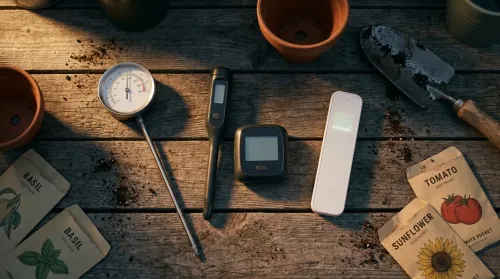
A smart garden is, in mechanical terms, a garden in which one or more measurements or actions that a human used to take by hand are now taken by a sensor, a timer, or a small computer. The four common ones are: measuring soil moisture (capacitive or tensiometer probes); switching irrigation on and off (a programmable solenoid valve at the tap); regulating light spectrum and duration (a full-spectrum LED, usually around 36 W on a domestic unit, on a timer); and identifying a plant or a pest from a photograph (an AI image classifier on a phone). None of these is exotic. All four are, by 2026, available for under a few hundred pounds for a domestic setup (Three Hearts Home — Indoor Gardening Systems for Seniors).
What matters horticulturally is whether the measurement or action being automated is one that benefited from being human in the first place. Soil-moisture sensing, for instance, automates a check that a careful gardener was probably doing too rarely; light scheduling automates a decision a working gardener could not make on time anyway. By contrast, fertiliser timing in a productive vegetable bed still rewards human judgement, because the cues — leaf colour, recent rainfall, what was planted last year — are not yet well captured by a hobbyist sensor at sensible cost.
A useful working rule, before downloading anything: write down the three questions your garden currently fails to answer well. If they are "is this thirsty?", "what is this?", and "did I water on Tuesday?", a smart garden will help you. If they are "is this disease the same one I had last August?" and "should I top-dress this bed before next planting?", you still want a hand lens and a notebook.
Plant identification: when a phone earns its keep
Plant identification was the first category of gardening tech to cross a credibility threshold, and it is now reliably useful. The 2025 generation of image-classification apps draws on databases at a scale that was implausible five years ago. PlantSnap reports more than 600,000 plant species in its database with a 90%+ recognition rate for known plants; iNaturalist pairs an AI classifier with more than one million practising naturalists who confirm or correct hard identifications by hand (Tech Bloat 2025 plant ID guide). PictureThis adds toxic-plant warnings for households with pets; PlantNet works well for European native flora and is run by a research consortium.
The underlying mechanism is simple: the classifier compares the image you upload to a labelled corpus and returns the closest matches with confidence scores. The limits follow directly from that mechanism. A fuzzy or backlit photograph degrades the match; a plant out of flower or out of season is harder; a hybrid or cultivar may be returned as its species parent. For ambiguous identifications, the iNaturalist hybrid model — AI suggestion plus human community confirmation — is the most reliable because the community catches the cases the model misses.
App
Best at
Free tier
Offline mode
Platform
PictureThis
Houseplant ID + toxic-plant warnings
Limited
No
iOS, Android
PlantNet
European native flora; research-grade
Full
No
iOS, Android, web
iNaturalist
Hard IDs with human-community backup
Full
Partial
iOS, Android, web
PlantSnap
Largest species coverage, offline ID
Limited
Yes
iOS, Android
LeafSnap
Tree ID from leaf shape
Full
No
iOS, Android
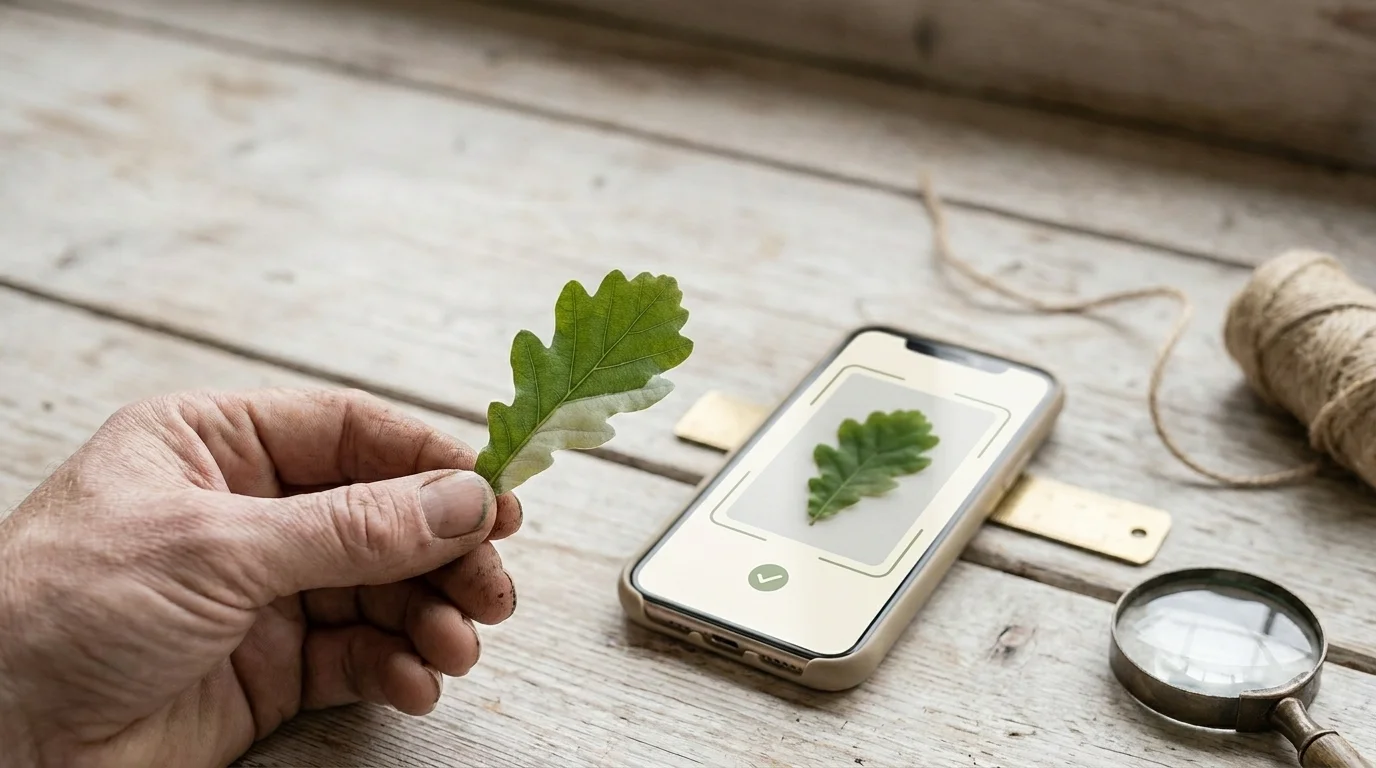
A small diagnostic, before you trust any one of these on a critical decision (poisonous plant, edible foraging): take three photographs of the same specimen — leaf upper surface, leaf underside, and the flower or fruit — and submit each. If all three returns agree at high confidence, you can act on the identification. If they disagree, you have a plant that needs a human pair of eyes.
Loading image...
Three photographs — upper leaf, lower leaf, flower — submitted separately. If all three agree, you have your plant. If they disagree, you have a job for human eyes.
Care reminders and planning: matching the tool to the gardener's memory
The second useful category of gardening app is the one that remembers what the gardener cannot reasonably remember — when each plant was last watered, when each variety was sown, when each bed last received compost. The category is crowded; the differentiation among the leaders is mostly interface, not function.
App
Best for
Free tier
Senior-friendly UI
Offline mode
Planta
Indoor + outdoor care reminders
Yes, with limits
Large text, simple icons
No
Blossom
Single-plant coaching for beginners
Yes, with limits
Conversational interface, minimal UI
No
PlantIn
Disease & pest diagnosis from photo
Limited
Moderate; busy screens
No
Seed to Spoon
Edible-garden planning by climate zone
Yes
Moderate
No
GrowVeg
Vegetable-bed layout and crop rotation
7-day trial
Designed for desktop, mobile is busy
No
Seedtime
Sow & harvest calendars
Yes
Clean; works for older devices
Yes
The honest assessment, based on a category survey rather than personal endorsement: care-reminder apps reduce missed watering and missed sowing dates, which are the most common causes of avoidable plant loss for time-poor or memory-stretched gardeners. They do not substitute for observation. A plant under a Planta reminder is still a plant whose leaves are telling you something every morning; the reminder is a backup, not a replacement.
If a gardener is new to phone apps in general, the most useful first step is to choose one app with a single purpose — a care reminder OR a plant ID, not both — and use it for a full season before adding another. The most common failure mode is downloading four apps in a week and using none of them by the next month.
Smart-garden hardware: what the sensors actually measure
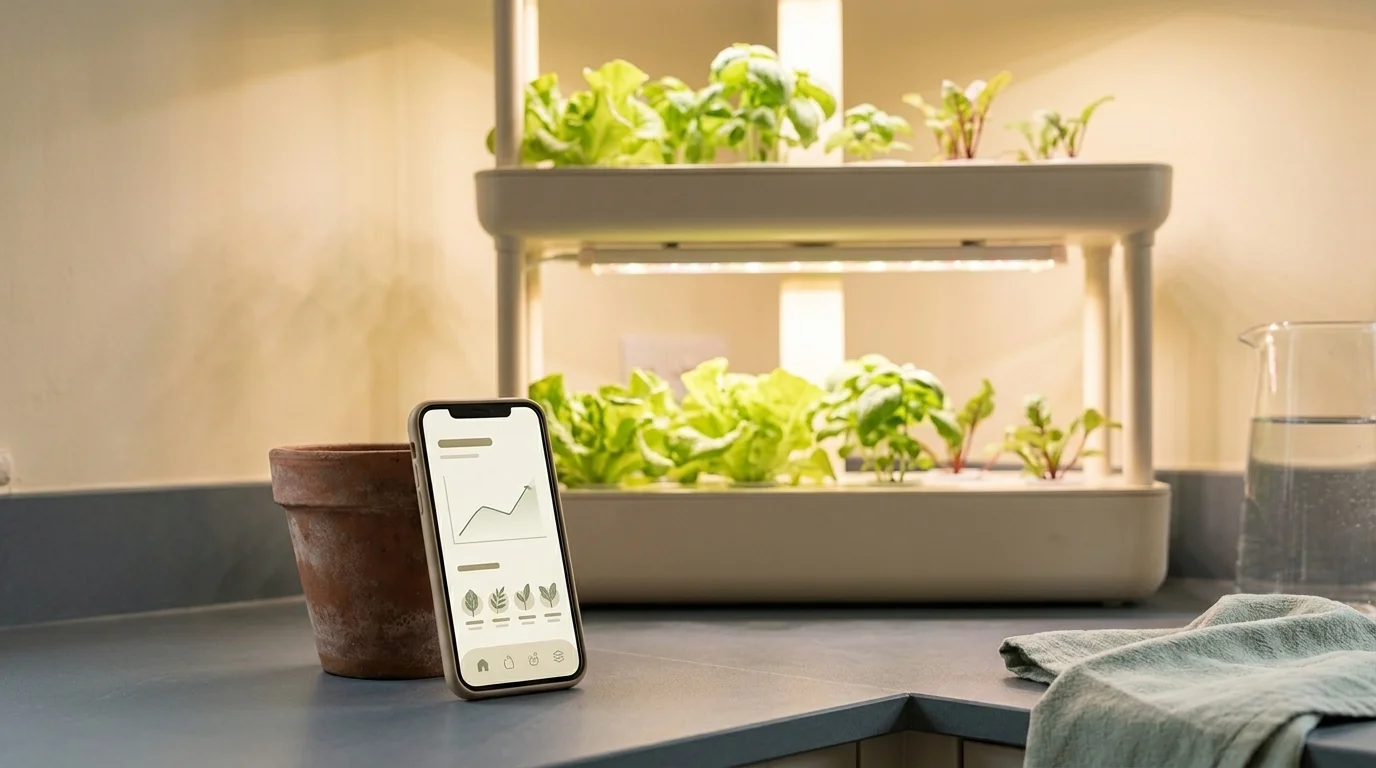
Indoor smart-garden hardware is now a real domestic product category. The current generation of countertop and multi-tier hydroponic systems ships with WiFi-controlled pumps, full-spectrum LEDs (typically 36 W on a domestic unit), pod capacities ranging from three to sixty plants, and companion apps that handle the scheduling (Three Hearts Home 2026). The hardware is engineered, increasingly, for accessibility: cool-touch LEDs that do not burn a curious hand, water reservoirs that fill from a wider opening, larger displays, and pump systems that hum quietly enough not to disturb a small flat.
Three categories worth knowing as a working taxonomy:
Countertop hydroponic units (3–12 pod range) — typified by AeroGarden Bounty, Click & Grow, LetPot Air. Small footprint, easy to fill, good for a windowsill kitchen herb operation. The horticultural limit is root-volume: leafy salads and herbs do well; full-size tomato or pepper plants outgrow the format within weeks.
Multi-tier hydroponic kits (12–60 pod range) — typified by LetPot Pro, iDOO 12-pod, Gardyn. More plants, more LED area, larger water reservoir. Useful for a household producing a meaningful share of its own greens; harder to move once filled with water.
Outdoor soil-moisture and irrigation systems — typified by Rachio, Eve Aqua, Netro. A solenoid valve at the tap plus capacitive soil-moisture probes in each bed; the app schedules watering with rainfall override. Most rewarding on raised beds and vegetable plots where consistent moisture matters more than the gardener's memory.
What the sensors actually measure matters for whether the system will help. A capacitive soil-moisture probe measures the dielectric constant of the surrounding soil, which is a good proxy for water content in most loam but is less reliable in very sandy or very clay soils. Calibrating once with a thumb-in-the-bed check — described in the diagnostic at the end of this section — will tell you whether the reading is trustworthy on your particular soil. Full-spectrum LED grow lights provide the wavelengths a plant needs for both vegetative and flowering stages; what they do not provide is the cue of overcast weather that triggers some plants to flower, so a tomato indoors under continuous bright light may take longer to set fruit than the same variety outside in the same calorie load.
A one-line diagnostic for whether your soil-moisture sensor is actually telling the truth: at midday on a warm day, press a thumb into the bed beside the probe. If the impression holds sharp edges, you are at or above field capacity and the probe should read accordingly; if the impression crumbles, you are below field capacity. If the probe disagrees with the thumb three days running, recalibrate or replace it.
Loading image...
Lettuce thrives on a windowsill under 36 W of LED; a tomato will set fruit slower than its outdoor twin, because the kit replaces light, not weather.
Offline and low-bandwidth gardening apps
The original premise of this article — that some gardeners are excluded by patchy internet — turns out to be soluble with named tools, not policy. A small group of apps now run useful workflows without a steady connection, which matters for gardeners in rural Britain, on caravan sites, in upland villages, or on plots a long walk from the house (AgriTech Help offline farm apps).
PlantSnap (offline mode) — the plant-identification database can be downloaded in chunks so that ID works without signal. Useful in fields, hedgerows, and on holiday in places without 4G.
FarmKeep — keeps a local record of garden actions (sowing dates, harvests, pest sightings) on the device and syncs them to the cloud the next time signal arrives. Useful for record-keeping when the plot is far from the house.
Seedtime — sow-and-harvest calendars work as a downloaded reference without continuous connection.
Agros — offline garden mapping; a bed-layout tool that does not require a signal to view a previously drawn plan.
These four tools, between them, cover most of what a gardener needs from technology in a low-bandwidth setting: knowing what something is, recording what was done, and consulting a planting calendar. None of them performs as well as a connected app at the more bandwidth-hungry tasks (community discussion, weather-API integration, real-time disease alerts), but those tasks were never the original article's pain point.
Gardening tech for the senior gardener
The senior-gardening tech literature in 2026 is converging on a clear pattern: combine ergonomic hardware (raised beds at usable heights, lightweight tools) with a small number of low-friction apps and a wearable safety layer. The ergonomic standard now widely cited is a raised-bed deck height of 30–36 in (75–90 cm), paired with a drip or soaker irrigation system to remove daily hand-watering (Seniors Life Hub Gardening for Seniors 2026). Drip irrigation belongs in that recommended pattern for a practical reason: hand-watering on a hot afternoon is the task most likely to be skipped on a low-energy day, and removing it preserves the rest of the gardening routine.
App choices for older gardeners follow a different rule than for younger ones: fewer apps, larger text, single purpose. A care-reminder app with a clean interface — Planta and Blossom are both designed with simplicity rather than feature density — paired with an outdoor soil-moisture and irrigation system, covers most of the cognitive load that the original article gestured at without naming a solution.
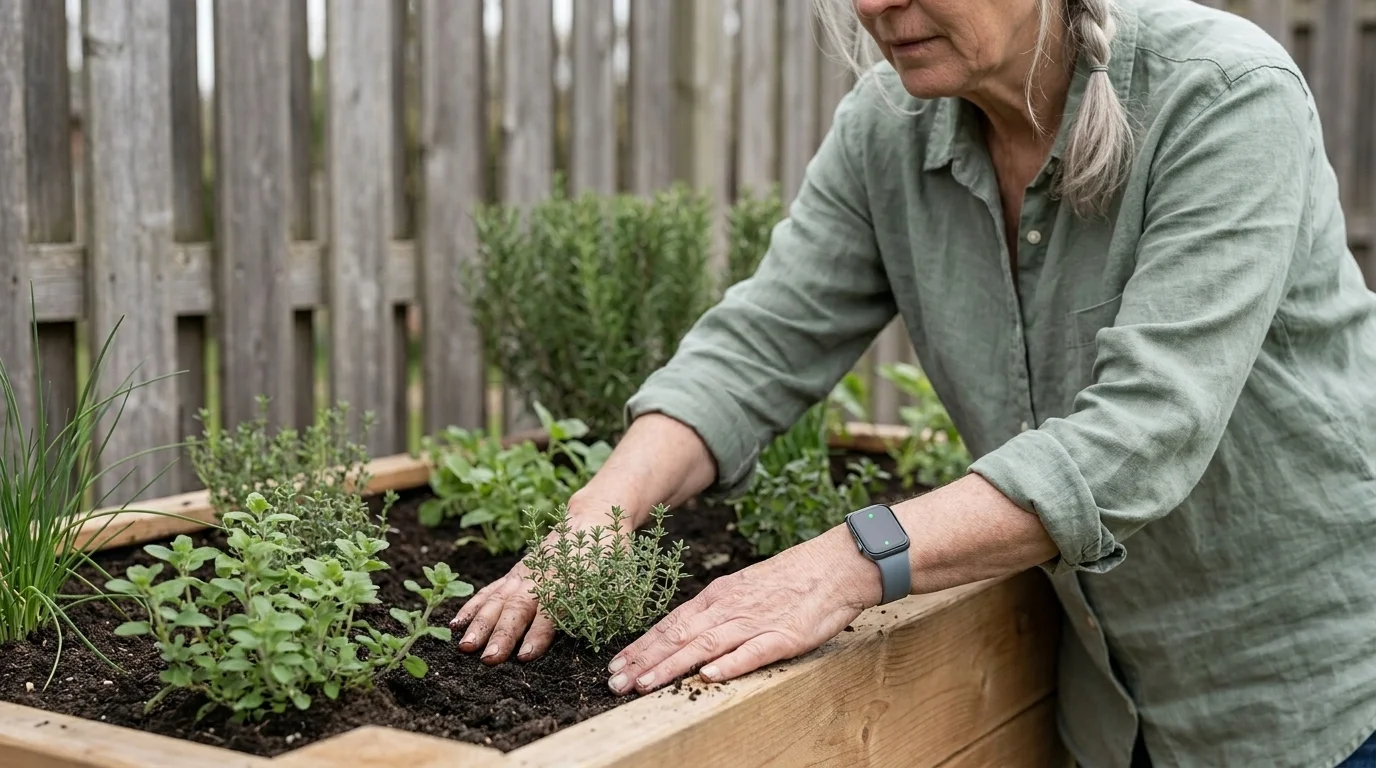
For outdoor work, 2026 senior-gardening guidance also recommends pairing a working session with a wearable medical-alert device: fall detection, GPS, waterproof rating, and 24/7 monitoring are the four features most consistently called out across the current senior-gardening literature (Seed Sheets — Senior Gardening with Medical Alerts 2026). The horticultural reason this matters: a gardener who is confident that a fall on a wet path will be detected by their watch and reported to a contact is more likely to garden alone on a quiet weekday, which is when most of the satisfying work actually gets done.
Loading image...
A fall-detection watch turns a quiet Tuesday on a raised bed into a safe afternoon — which is when most of the satisfying garden work actually gets done.
An accessibility-tagged shortlist
The same garden tech serves different gardeners differently. The shortlist below cuts across the categories above by the constraint that most determines which tool will actually help.
For low vision — PictureThis (large icons, clear voice readout of plant names), Planta (large-text mode), pale-edged paths and high-contrast plant labels rather than software alone.
For low broadband or rural areas — PlantSnap (offline ID), FarmKeep (offline record-sync), Seedtime (offline calendars). Avoid bandwidth-hungry video-tutorial apps.
For low budget — PlantNet (free, full-feature), iNaturalist (free, full-feature), Seedtime (free tier covers most home gardeners). A clip-on full-spectrum LED on a basic mechanical timer, paired with a few self-watering planters, gives most of the functional advantage of a smart hydroponic unit (scheduled light, consistent moisture) at a fraction of the cost — useful as a first-season trial before committing to a connected system.
For low tech comfort — start with one single-purpose app, used for a full season. The most forgiving starting points are PictureThis (one tap, one answer) or Planta (one plant, one reminder). Avoid apps that combine planning, social, and shopping features until the first one is established habit.
For the senior gardener — pair a raised bed at 30–36 in deck height with a drip irrigation system on a smart valve, a care-reminder app on a phone in large-text mode, and a wearable with fall detection. This is the configuration the 2026 literature converges on.
For the new gardener of any age — start with a plant-ID app, learn the names of what you already have, and add a care reminder only when you find yourself genuinely forgetting watering schedules. Tools added before they are needed become friction rather than help.
The honest closing observation: a smart garden does not garden for you. It removes one or two specific failures of memory, attention, or access, and lets the gardener do the rest. The diagnostic for whether a piece of technology is actually helping is the same diagnostic for any tool: in the month since you added it, has your garden in any measurable way grown better — fewer dead plants, more consistent watering, an identification you would otherwise have missed? If yes, the tool earns its keep. If no, return to the question you were trying to answer, and ask whether a different tool — or none at all — was the right choice in the first place.
A smart garden is one in which a sensor, timer, or small computer takes a measurement or action that a human used to take by hand — typically soil-moisture monitoring, automated irrigation, full-spectrum LED lighting on a schedule, or AI-driven plant identification from a photograph. By 2026 a domestic setup costs under a few hundred pounds and combines hardware with a companion app.
What's the best free gardening app for beginners?
PlantNet and iNaturalist are the strongest fully-free options for plant identification — PlantNet is research-grade for European native flora, iNaturalist pairs AI with a million-strong naturalist community. For care reminders, Planta and Blossom both offer usable free tiers with large-text, simple interfaces.
Which gardening apps work without internet?
PlantSnap offers offline plant identification (its 600,000-species database can be downloaded in chunks). FarmKeep records garden actions locally and syncs when signal returns. Seedtime delivers sow-and-harvest calendars without continuous connection. Agros stores garden maps offline. These four cover most low-bandwidth gardening needs.
Are gardening apps useful for seniors?
Yes, with two caveats: pick one app at a time and use it for a full season before adding another, and prefer single-purpose apps with large text and minimal interface — Planta or Blossom for care reminders, PictureThis for plant ID. Pair with WiFi-enabled raised-bed irrigation to remove daily hand-watering, the task most likely to be skipped on low-energy days.
How accurate are plant identification apps?
PlantSnap reports 90%+ recognition for known plants in its 600,000+ species database. iNaturalist's hybrid model (AI + a community of over one million naturalists) is the most reliable for difficult IDs because community members confirm or correct uncertain cases. For critical decisions (toxic, edible, invasive), submit three photos — leaf upper, leaf underside, and flower or fruit — and act only if all three agree.
What is the best smart-garden hardware for indoor use?
Countertop hydroponic units (3–12 pods, e.g. AeroGarden Bounty, Click & Grow, LetPot Air) suit small herb operations. Multi-tier kits (12–60 pods, e.g. LetPot Pro, iDOO, Gardyn) suit households growing a meaningful share of their own greens. All use full-spectrum LED lighting (typically around 36 W on a domestic unit) and WiFi-controlled pumps; senior-friendly versions add cool-touch LEDs, wider water reservoirs, and larger displays.
How do I choose a gardening app if I'm new to technology?
Choose one app with a single purpose — either a care reminder (Planta, Blossom) or a plant ID (PictureThis, PlantNet) — and use it for a full season before adding another. The most common failure mode is downloading four apps in a week and using none of them by the next month. Avoid apps that bundle planning, social, and shopping features until your first single-purpose app is established habit.
Social Media Influence on Urban Horticulture: Analyzing Consumer Engagement Patterns
Join
Loading...
Our Green Community!
Loading...
VerdeNook is more than just a source of gardening wisdom; it’s a platform for sharing, learning, and growing together. We invite you to join our community, share your stories, and spread the joy of gardening. Let’s sow the seeds for a greener, healthier, and more sustainable future, one garden at a time.